In this guide, I’m sharing 10 practical website design tips that directly help SEO. These are free, proven strategies you can apply to any blogging platform, whether you’re just starting out or optimizing an existing site.
Throughout this blog, you’ll see exactly how website design tips influence rankings, user experience, engagement, and long-term growth.
If you want your blog to rank, attract traffic, and actually keep visitors on your site, your design plays a much bigger role than most bloggers realize.
You can write the best content in the world, but if your website is slow, cluttered, confusing, or difficult to use, Google notices…and so do your readers.
Why These Website Design Tips Matter For SEO
Search engines don’t just rank content anymore…they rank experiences.
User experience is a huge deal, and if you haven’t really started paying attention to it yet, and how it works on your website… You need to!
Google tracks how users interact with your site:
- How long they stay on your website
- How many pages they visit?
- Whether they bounce back to search results
- How fast your pages load
- How well your site works on mobile
Your website design tips directly affect every one of those signals.
A clean, user-friendly design:
- Improves dwell time
- Reduces bounce rate
- Encourages internal clicks
- Makes your content easier to understand
- Helps Google crawl your site more efficiently
Now let’s break down the 10 website design tips that increase SEO, step by step.
Website Design Tips #1: Use A Clean, Simple Layout
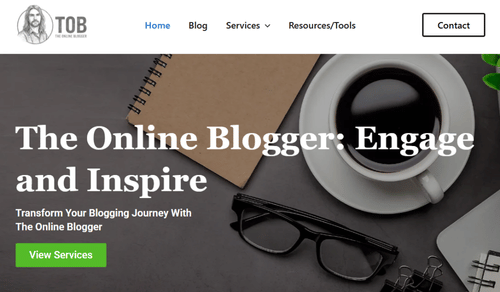
One of the most important website design tips for bloggers is simplicity.
A cluttered layout overwhelms visitors and makes it harder for search engines to understand your page structure.
Why this helps SEO:
- Improves readability
- Reduces cognitive load
- Encourages longer time on page
- Makes headings and content hierarchy clearer to Google
Best practices:
- Use plenty of white space
- Stick to one main column for content
- Avoid unnecessary sidebars
- Keep ads minimal (especially above the fold)
Pro Tip:
If your visitor can’t immediately tell what your page is about in the first 5 seconds, your layout is working against your SEO.
Website Design Tips #2: Optimize Mobile-First Design
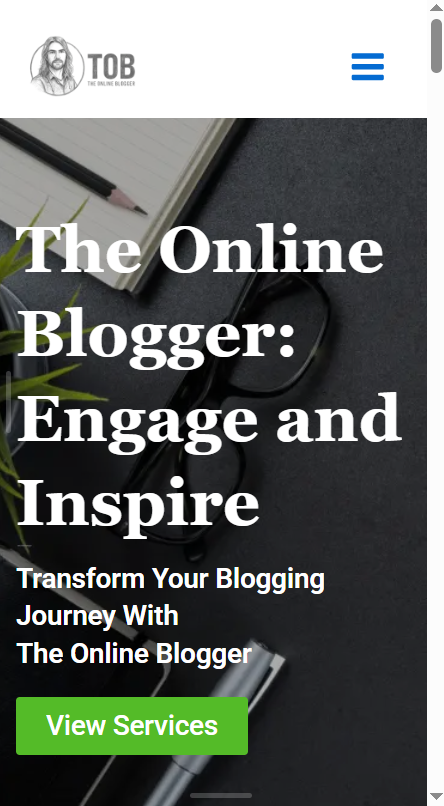
Mobile-first indexing means Google evaluates the mobile version of your website first.
If your blog doesn’t work perfectly on mobile, your rankings will suffer…no matter how good your content is.
Why mobile-friendly website design tips matter:
- Over 60% of traffic is mobile
- Google prioritizes mobile usability
- Poor mobile UX increases bounce rate
Mobile design essentials:
- Responsive theme
- Readable font sizes
- Clickable buttons (no tiny links)
- Proper spacing between elements
- No horizontal scrolling
Pro Tip:
Always preview posts on your phone before publishing. What looks fine on desktop often breaks on mobile.
Website Design Tips #3: Improve Page Speed With Smart Design Choices
Page speed is a confirmed Google ranking factor, and we know heavy designs slow your site down, and slow sites lose rankings.
You can check your website’s speed by using Google Page Speed Insights.
Design elements that affect speed:
- Large images
- Sliders and animations
- Excessive fonts
- Too many scripts
- Bloated page builders
Speed-friendly website design tips:
- Use lightweight themes
- Limit animations
- Compress images
- Avoid autoplay videos
- Remove unused plugins
Pro Tip: Design should enhance content…not slow it down. If a feature doesn’t add real value, remove it.
Website Design Tips #4: SEO Friendly Heading Structure
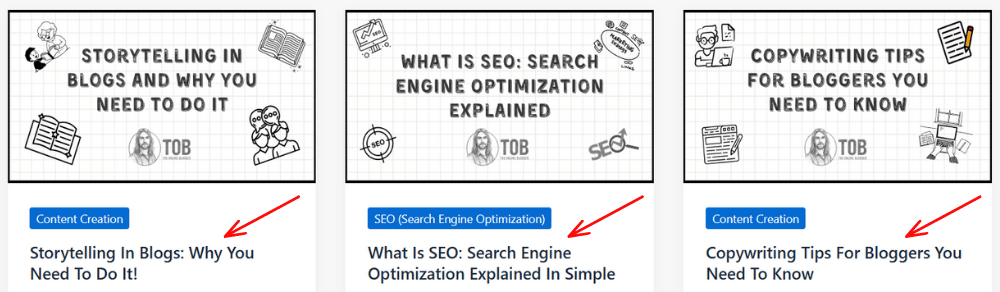
Your headings aren’t just visual…they’re SEO signals that tell search engines exactly what your blog is about.
Clear heading structure helps Google understand:
- Page topic
- Content hierarchy
- Keyword relevance
Best heading practices:
- One H1 per page
- Logical H2 and H3 structure
- Use keywords naturally
- Avoid skipping heading levels
Examples:
H1: Free Website Design Tips For Bloggers
H2: Why These Website Design Tips Matter
H2: Website Design Tips For Mobile SEO
H3: Mobile Readability Best Practices
My advice: Think of headings as a table of contents for Google and your readers.
Website Design Tips #5: Improve Readability With Smart Typography
Readability directly affects engagement…and engagement affects SEO.
If your text is hard to read, users leave early which increases bounce rate and is not good for SEO.
Typography website design tips:
- Use simple fonts (sans-serif works best)
- Font size: 16px minimum
- Line height: 1.5–1.8
- Short paragraphs (2–3 lines)
- Plenty of spacing
Why this boosts SEO:
- Increases time on page
- Improves content consumption
- Reduces bounce rate
Pro Tip: If your content looks intimidating, it is intimidating…no matter how good it is.
Website Design Tips #6: Optimize Internal Linking Through Design
It’s no secret that internal linking helps SEO, but design determines whether users actually click those links or not.
Design-driven internal linking tips:
- Use visible, contextual links
- Highlight related posts sections
- Place links naturally within content
- Avoid hiding links in footers only
The SEO benefits of Internal Linking:
- Improves crawlability
- Distributes link equity
- Increases page views per session
- Strengthens topical authority
Pro Tip: Design internal links so they feel like helpful suggestions, not forced SEO tactics.
Website Design Tips #7: Use SEO-Friendly Navigation Menus
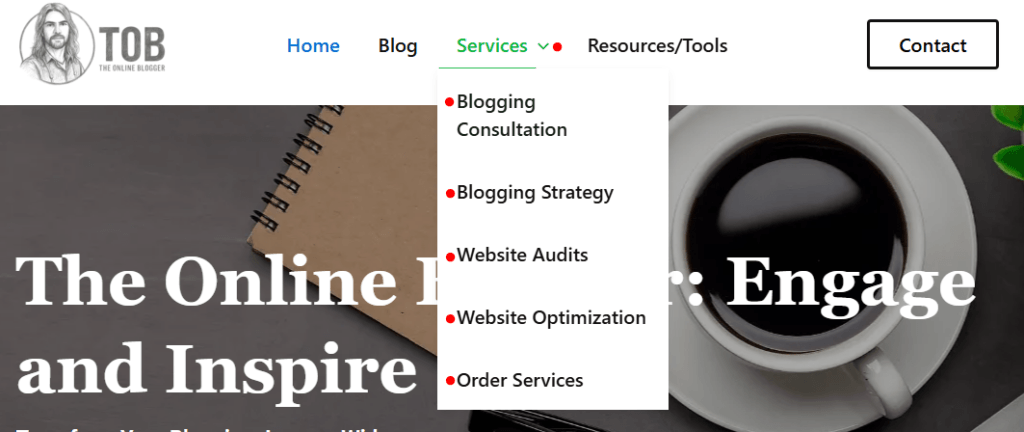
Your menu structure affects both user experience and crawlability. Overcomplicated menus confuse users and Google.
Your menus should be clean, clear, and highly related to each parent page.
Smart navigation website design tips:
- Limit top-level menu items
- Use clear category names
- Avoid dropdown overload
- Prioritize important pages
Good menu example:
- Start Here
- Blogging Tips
- SEO
- Resources
- About
Pro Tip: If your navigation needs explaining, it’s already too complex.
Website Design Tips #8: Optimize Your Images For SEO and Performance
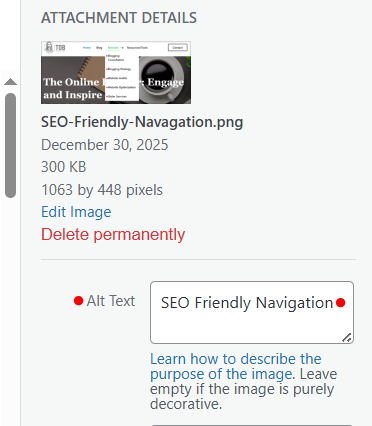
Images enhance content…but poorly optimized images hurt SEO.
My Image-focused website design tips:
- Compress images before upload
- Use descriptive file names
- Add keyword-rich alt text
- Keep dimensions consistent
- Avoid stock overload
Why images affect SEO:
- Faster loading
- Image search traffic
- Better accessibility
- Improved user experience
Pro Tip: An optimized image can rank on its own in Google Image Search…don’t waste that opportunity.
Website Design Tips #9: Reduce Distractions And Improve Focus
Too many distractions kill engagement. This is an easy basic element that is very easy to overlook.
Popups, banners, flashing elements, and excessive ads push users away, not to mention that each page or post should be focusing on getting the user to do one thing regardless of what it is.
Focus-driven website design tips:
- Limit popups (especially on mobile)
- Avoid autoplay media
- Keep CTAs simple
- Focus on one goal per page
SEO impact:
- Lower bounce rate
- Higher dwell time
- Better behavioral signals
Pro Tip: Design each page with one primary action in mind, nothing more.
Website Design Tips #10: Use Clear Call-To-Actions That Support SEO Goals
Good design guides users, not confuses them.
- Clear CTAs encourage:
- More page views
- Deeper engagement
- Email signups
- Lower exit rates
Effective CTA design tips:
- Use buttons, not just text links
- Make CTAs visually distinct
- Place them logically
- Match CTA to content intent
SEO benefits:
- Increased session duration
- Improved user flow
- Stronger engagement metrics
Bonus Website Design Tips Checklist
✔ Clean layout
✔ Mobile-first design
✔ Fast loading pages
✔ Proper heading structure
✔ Readable typography
✔ Strategic internal links
✔ Simple navigation
✔ Optimized images
✔ Minimal distractions
✔ Clear CTAs
My Final Thoughts: Website Design Tips That Truly Increase SEO
Great SEO isn’t just about keywords…it’s about how your website feels to use.
When you apply these website design tips consistently:
- Your content becomes easier to consume
- Your site becomes easier to crawl
- Your engagement metrics improve
- Your rankings follow naturally
The best part?
Every website design tip in this guide is free…just smart, intentional design decisions.
If you focus on clarity, speed, usability, and structure, Google and your readers will reward you for it.