Knowing how to improve user experience should be every website owner’s priority, whether you’re running a personal blog, an e-commerce store, or a SaaS (software as a service) platform.
When you improve user experience, you not only make your site more enjoyable for visitors, but you also boost engagement, conversions, and long‑term growth.
In this blog, we’re going to break down practical, easy-to-follow ways you can improve user experience on any website today.
1. Speed Up Your Website
One of the fastest ways to improve user experience is to boost page speed.
Slow sites frustrate users, and fast ones reward them.
Tips to speed up your website:
- Compress images and use modern formats like WebP
- Enable browser caching
- Use a CDN (Content Delivery Network)
- Minimize JavaScript and CSS files
- Choose a fast, reliable hosting provider
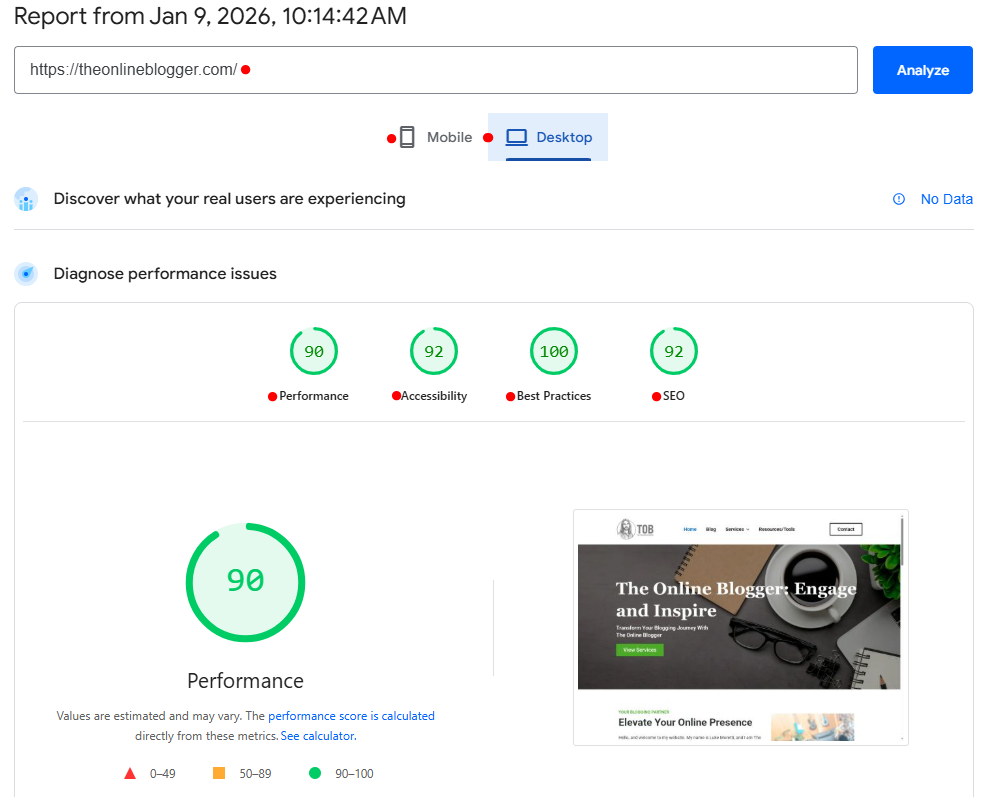
Fun fact: Users expect a site to load within 2-3 seconds… any slower and they start leaving. So if you want to improve user experience, start with speed!
2. Make Navigation Easy
Navigation should feel natural. Users shouldn’t have to guess where to click next. Certain website themes are designed specifically for blogs.
How To Improve User Experience In Navigation
 Use clear, simple menu labels
Keep navigation consistent across pages
Add a search bar if your site has lots of content
Include breadcrumbs on deeper pages
When users can easily find what they came for, that is what it truly means to improve user experience.
Check out my top 3 website themes <<<
3. Improve Readability And Content Structure
Great content is only valuable if users can read and understand it. Ask yourself the same question… If I were reading something that is confusing and hard to understand, would you keep reading it?
5 Ways To Improve User Experience With Content:
- Break text into short paragraphs
- Use descriptive headings (include focus keyword when natural)
- Add bullet lists for key points
- Use images and visuals to support text
- Choose readable fonts and appropriate font sizes
Pro Tip: People scan online content… don’t make them work hard to find value.
4. Design For All Devices (Mobile First!)
More than half of web traffic comes from mobile devices. So if your site isn’t optimized for phones and tablets, you’re losing a huge chunk of users.
How To Improve User Experience For Mobile:
 Use a responsive design for mobile.
Make buttons touch‑friendly
Avoid pop-ups that cover the entire screen
Ensure forms are easy to complete
A website that works beautifully on mobile is a major UX win.
Find Out: How to check your website works in responsive mode <<<
5. Use Visual Hierachy And White Space
When you improve user experience, part of that is helping users know where to look.
Visual hierarchy helps guide users through your page:
Quick tips:
- Important elements should stand out (size, color, placement)
- Don’t overcrowd the page… embrace white space
- Use contrast to make buttons and CTAs noticeable
- A clean layout with clear priorities makes a site much easier to use and enjoy.
My Advice: Your website should stay clean and easy to navigate, no matter who is reading it. Always check you websites pages and posts in responsive mode before publishing.
6. Make Call To Actions Clear
If users don’t know what action you want them to take, they won’t take it.
Best Practices To Improve User Experience With CTAs:
- Use clear and direct language (“Sign Up Free,” “Get Started”)
- Place CTAs where eyes naturally travel
- Ensure buttons look clickable
Your CTAs should help users take the next step… not confuse them.
Always use word consistency in your call to action, for example: Your page button says ” Get 10 Tips To Increase Traffic.” Then the page they land on needs to give them 10 tips to increase traffic.
7. Improve Forms And Input Fields
Forms are one of the biggest friction points on any website… especially checkout forms.
How To Improve User Experience With Forms:
- Only ask for the necessary information
- Use smart defaults and inline validation
- Make labels clear
- Use mobile‑optimized keyboards for phone number and email fields
When forms are easy to complete, conversions go up… and frustration goes down.
8. Use Feedback And Testing To Improve User Experience
Guessing won’t take your UX far… data will.
How To Use Feedback To Improve User Experience:
These are the most useful useful methods I have found that made an impact:
🔹 Heatmaps to see where users click
🔹 User testing for real feedback
🔹 Surveys and feedback forms
🔹 Google Analytics to track behavior
If we can watch how users interact with our website, we can refine areas where they struggle.
This is an extremely valuable method to use and can really pay off in a very short amount of time.
9. Optimize For Accessibility
Accessibility means your site works for everyone, including people with disabilities.
4 Ways To Improve Accessibility:
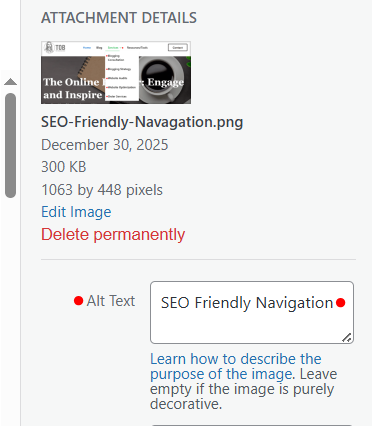
- Add alt text for images
- Ensure good color contrast
- Provide keyboard navigation
- Use clear language and structure
When your site is usable by more people, you improve user experience for all, which is simply good practice.
10. Continuously Monitor And Itarate
Great UX is never “done.” Trends change, user behavior changes, and technology evolves.
How To Keep Improving User Experience:
✔ Regularly check page metrics
✔ Update outdated content
✔ Solve usability issues quickly
✔ Test new design improvements
Treat UX as an ongoing journey, not a one‑and‑done task.
What Does "Improve User Experience" Really Mean?
At its core, to improve user experience means making your website:
Intuitive — visitors know what to do without thinking. An intuitive website feels natural to navigate. Users should instantly understand where to click, how to find information, or what action to take next.. without hunting around or feeling confused.
Your layout, buttons, and flow should all make sense, even to someone who’s never seen your site before.
Fast — pages load quickly no matter what device someone is on.
Fast-loading pages help keep users engaged and prevent drop-offs, whether they’re browsing on a laptop with high-speed internet or scrolling on their phone with spotty Wi-Fi.
Useful — it delivers what users came for. People visit your site with a purpose. Maybe they want to read a blog, buy a product, find contact info, or learn how to do something. Good UX means they can quickly and easily find what they need
Pleasant — visitors enjoy being on your siteUser experience isn’t just about functionality… It’s also about feeling. A pleasant website feels smooth, visually appealing, and even delightful to use.
Good UX isn’t flashy… it’s functional. It doesn’t get in the way. It helps users get what they want easily and with zero frustration. And when done right, it turns casual visitors into loyal fans.
Conclusion: Improving User Experience Pays Off Big
If you want more engagement, higher sales, happier users, and better SEO, you need to improve user experience across your entire website.
To recap, some of the most effective ways to improve user experience include:
✔ Speeding up your site
✔ Simplifying navigation
✔ Designing for mobile
✔ Structuring content for readability
✔ Using feedback and testing
✔ Prioritizing accessibility
✔ Continuously optimizing your site
When users enjoy browsing your site, everything else becomes easier, from sales to retention to brand loyalty.
Ready to start improving user experience on your website? Pick one thing from this list and take action today!