Designing a logo doesn’t have to be expensive or complicated. In fact, you can design a logo that looks clean, professional, and brand-ready without spending a single dollar.
If you’re starting a blog, building an online business, or launching a new brand, your logo is often the first impression people have of you. The good news? With the right tools and a simple approach, anyone can do this.
In this guide, I’ll show you two 100% free ways to design a logo, explain the different types of logos, and explain why simplicity always wins.
Why Your Logo Matters
Your logo isn’t just an image… It’s a visual shortcut for your brand, and understanding how to maintain consistent branding across all channels is a must.
A good logo helps you:
- Look credible and trustworthy
- Stay consistent across your website and social media
- Be recognizable over time
- Build brand memory in your audience
Pro Tip: You don’t need fancy effects or complex graphics. You just need clarity.
1: Design A Logo With The Wealthy Affiliate Logo Generator
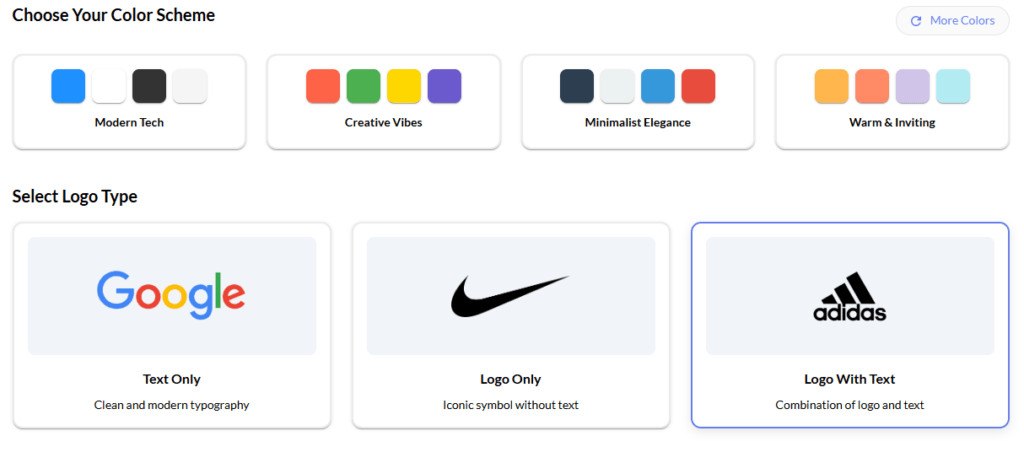
The Wealthy Affiliate Logo Generator is one of the easiest tools available, especially if you’re already building a website or blog.
Why This Tool Works So Well
- Designed specifically for online businesses
- No design experience needed
- Fast and distraction-free
- Focuses on clean, usable logos
How To Design A Logo Using Wealthy Affiliate
- Go to Wealthy Affiliate and create a free account
- Enter your brand or website name
- Choose a simple icon or text-based style
- Select brand colors that match your niche
- Preview and adjust spacing and layout
- Download your logo and start using it
This option is perfect if you want something simple, clean, and professional without overthinking design choices.
Wealthy Affiliate Logo Examples
2: Design A Logo Using Canva
Canva is one of the most popular design tools in the world, and for good reason.
Why Canva Is So Popular
- Drag-and-drop editor
- Huge library of free logo templates
- Works in your browser (no downloads)
- Easy resizing for social media and websites
How To Design A Logo In Canva
- Go to Canva.com and make a free account
- Search for “Logo” in the Canva search box
- Pick a clean, minimal template
- Replace text with your brand name
- Adjust colors to match your brand
- Remove anything unnecessary
- Download your logo
Pro Tip: Avoid templates with lots of icons, shadows, or effects. The simpler the design, the better it scales.
Canva Logo Examples
Types Of Logo You Can Create
Before you design a logo, it’s important to understand that not all logos serve the same purpose.
Different logo types communicate your brand in different ways, and choosing the right one can make your branding clearer, more memorable, and easier to use across platforms. Some logos rely purely on text, others use symbols or icons, and some combine both.
The best choice depends on your brand name, your audience, and how you plan to use your logo, on websites, social media, emails, or even printed material.
The 4 Types Of Logos
1. Wordmark Logos
- Text-only logos using a clean font.
- Examples: Google, Coca-Cola
- Best for blogs and personal brands
2. Lettermark Logos
- Initials or shortened brand names.
- Examples: IBM, HBO
- Great for long brand names
3. Icon Or Symbol Logos
- A simple graphic or symbol.
- Examples: Apple, Twitter
- Works well once your brand is recognizable
4. Combination Logos
- Text + icon together.
- Examples: Adidas, Burger King
- Most common choice for new brands
Which Option Is Best To Design A Logo?
Here’s a quick breakdown of both platforms if you are still unsure which one to use.
Wealthy Affiliate Logo Generator
- Best for beginners, bloggers, and business owners who want speed and simplicity.
Canva
- Best if you want more creative control and template variety.
Both options allow you to design a logo 100% free; however, the key is keeping your design clean and intentional.
Pro Tip: These platforms are both free to sign up for and use. Why not try them both?
Final Thoughts on Designing a Logo That Is Memorable
Your logo doesn’t need to be perfect… it just needs to be clear.
As your brand grows, you can always refine, tweak, or update it. What matters most right now is getting started with something simple, professional, and usable across your website and social platforms.
If you focus on clarity, consistency, and simplicity, you’ll end up with a logo that actually supports your brand.