
If you’re serious about improving your website’s SEO, Screaming Frog is one of the most powerful tools you can learn to use… even in its free version.
In this guide, I’ll walk you through how to use Screaming Frog SEO Spider (free version), what it does, what the limitations are, and how you can use it to quickly find and fix SEO issues on your site.
What Is Screaming Frog SEO Spider?
Screaming Frog is a UK-based SEO software company best known for its SEO Spider tool. The Screaming Frog SEO Spider is a desktop-based website crawler that scans websites the same way search engines do.
What SEO Spider Can Uncover:
- Technical SEO issues
- On-page SEO problems
- Broken links and redirects
- Duplicate content
- Missing or poorly optimized metadata
The free version is extremely capable and perfect for small websites or beginners to use, and after this tutorial, you will be a pro at using Screaming Frog.
How To Use Screaming Frog SEO Spider
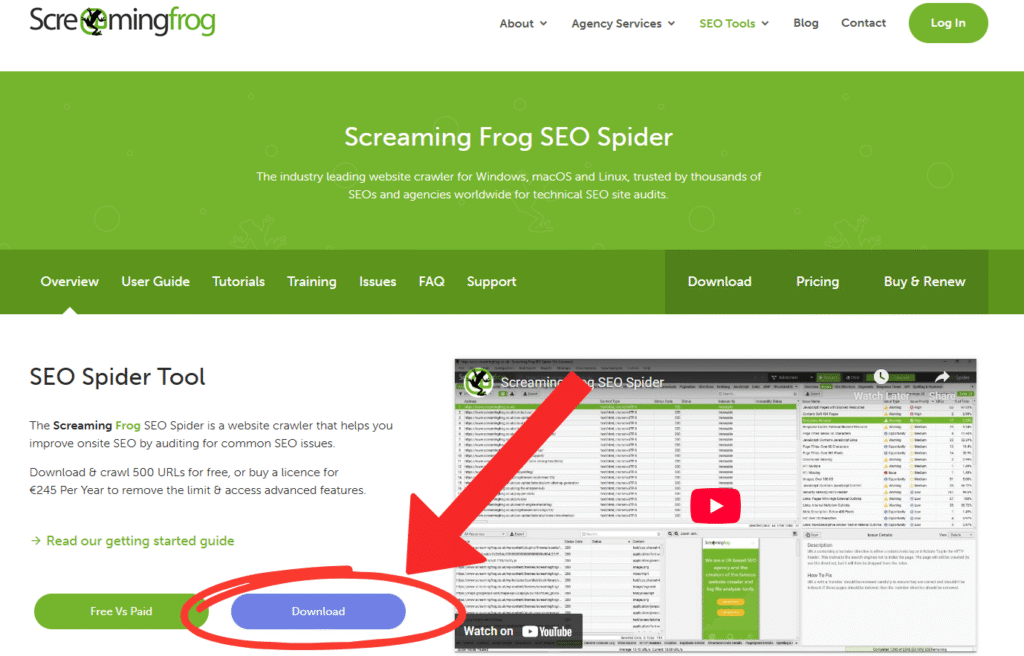
Follow the instructions below to download, install, and use the free version of Screaming Frog SEO Spider.
Step 1: Download And Install Screaming Frog SEO Spider
- Go to the official Screaming Frog website
- Download the SEO Spider for Windows, macOS, or Linux
- Install and open the program
- No account or login is required for the free version.
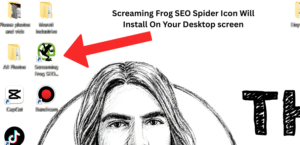
- Sreaming Frog Icon will appear on your desktop
- Open Screaming Frog by double-clicking the icon.
Step 2: Enter The Website URL You Want Audited
Once Screaming Frog is opened, at the top of the tool:
- Enter your website URL (e.g. https://yourwebsite.com)
- Make sure “Spider” mode is selected (This is normally the default setting)
- Click Start

Screaming Frog will now crawl your site and begin collecting SEO data.
The information may look overwhelming at first, but after this tutorial, it will be a walk in the park.
Step 3: Reading The Information
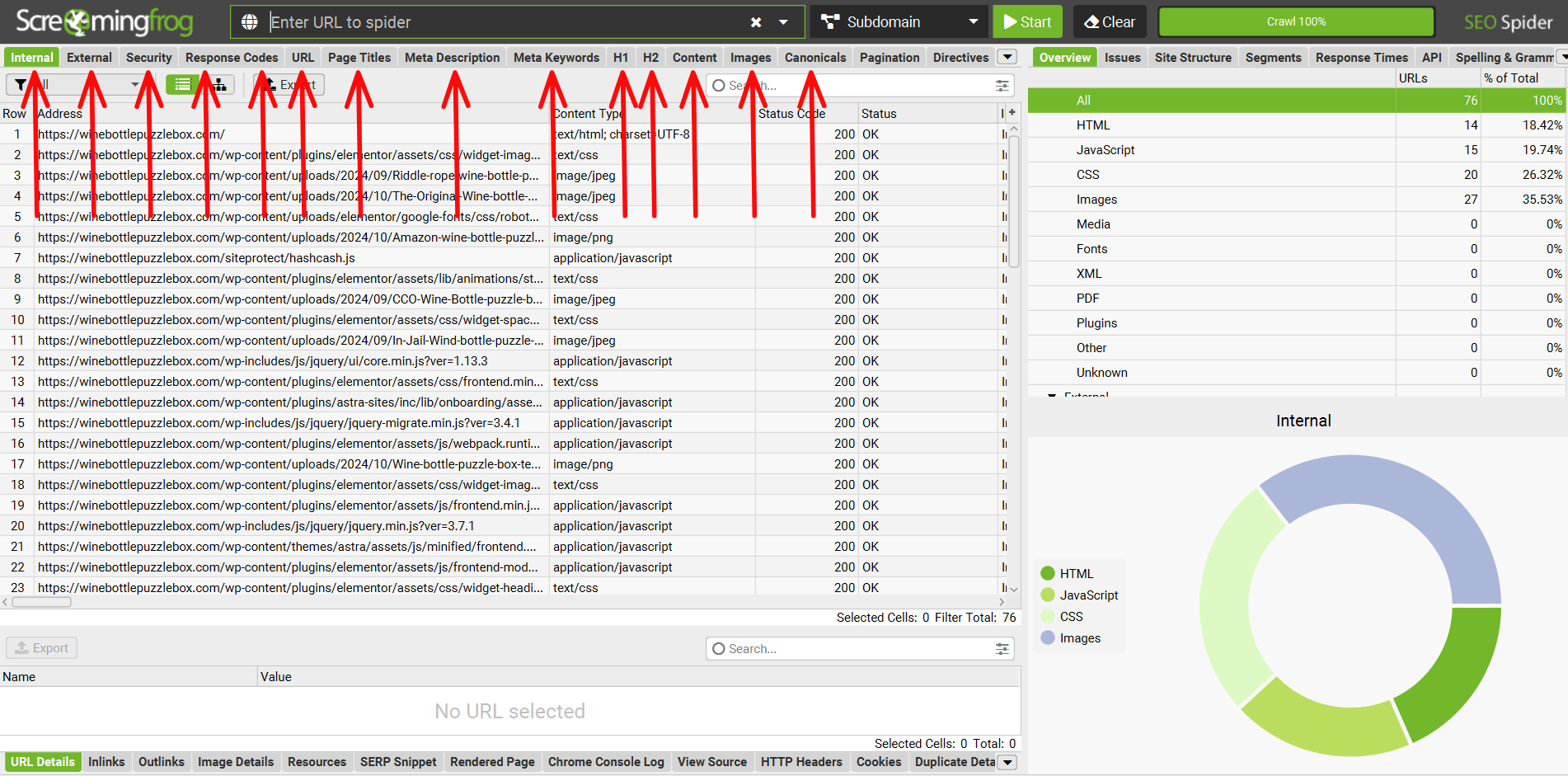
Once the crawl finishes, the real value begins.
Up the top of the platform, you will see the main categories that our audit is divided into. These organized segments make it easy to locate and retrieve specific data.
Screaming Spider website audit segments include
Internal
- All internal URLs found during the crawl
- Status codes (200, 301, 404, 500, etc.)
- Indexability (indexable vs non-indexable pages)
Pro Tip: This is your core audit tab… most SEO fixes start here.
External
- Shows outbound links pointing to other websites
- Helps identify broken external links
- Useful for checking affiliate links or references
Broken outbound links can hurt trust and user experience. This can have a huge impact on your website.
Page Titles
- Missing page titles
- Duplicate titles
- Titles that are too long or too short
Pro Tip: Page titles significantly impact SEO rankings and click-through rates.
- Meta Description
- Missing meta descriptions
- Duplicate descriptions
- Length issues
Meta descriptions don’t rank pages, but they increase clicks.
H1
- Missing H1 tags
- Multiple H1s
- Duplicate H1s
One clear H1 helps search engines understand page focus.
H2
- Missing H2s
- Duplicate H2s
Proper H2 structure improves content readability and topical relevance.
Images
- Missing ALT text
- Images over the recommended file size
- Image URLs and formats
This tab is gold for image SEO and page speed improvements.
Response Codes
- 404 errors (broken pages)
- 301 / 302 redirects
- Redirect chains and loops
Pro Tip: Fixing these improves crawl efficiency and site health.
Canonicals
- Missing canonical tags
- Duplicate canonical URLs
- Incorrect canonical references
This prevents duplicate content issues and ranking confusion.
Directives
- Noindex pages
- Nofollow directives
- Pages blocked by robots meta tags
This helps to ensure that important pages are indexable.
URL
- URL length issues
- Non-SEO-friendly URLs
- Uppercase or parameter-heavy URLs
Clean URLs improve usability and SEO clarity.
Inlinks
- Internal link count per page
- Anchor text used internally
- Pages with weak internal linking
Strong internal linking helps distribute SEO authority.
Outlinks
- External links per page
- Anchor text used
- Follow vs nofollow status
Useful for audits, especially on content-heavy sites.
Site Structure (Free but Underused)
- Folder depth
- Click depth from homepage
Shallow structures crawl and rank better.
Security
- HTTP vs HTTPS URLs
- Mixed content issues
This is extreemly Important for trust, UX, and SEO compliance and using a secure https:// url is a must
Summary Tip
You don’t need to master every tab at once. Start with:
- Internal
- Response Codes
- Page Titles
- Meta Descriptions
- H1 / Images
That alone will put you ahead of most website owners.
How Screaming Frog Helps Improve SEO Fast
This is where Screaming Frog really shines.
Since Screaming Frog is so good at organizing information, we can target, find, and see issues we need or want to fix.
Common Issues You Can Fix Quickly
- Broken internal links → improves crawlability
- Missing meta descriptions → improves CTR
- Duplicate titles → avoids keyword cannibalization
- Multiple H1s → improves content structure
- Redirect chains → improves page speed & SEO health
Even fixing just a few of these can lead to fast ranking improvements.
Finding Website Issues Fast With Screaming Frog
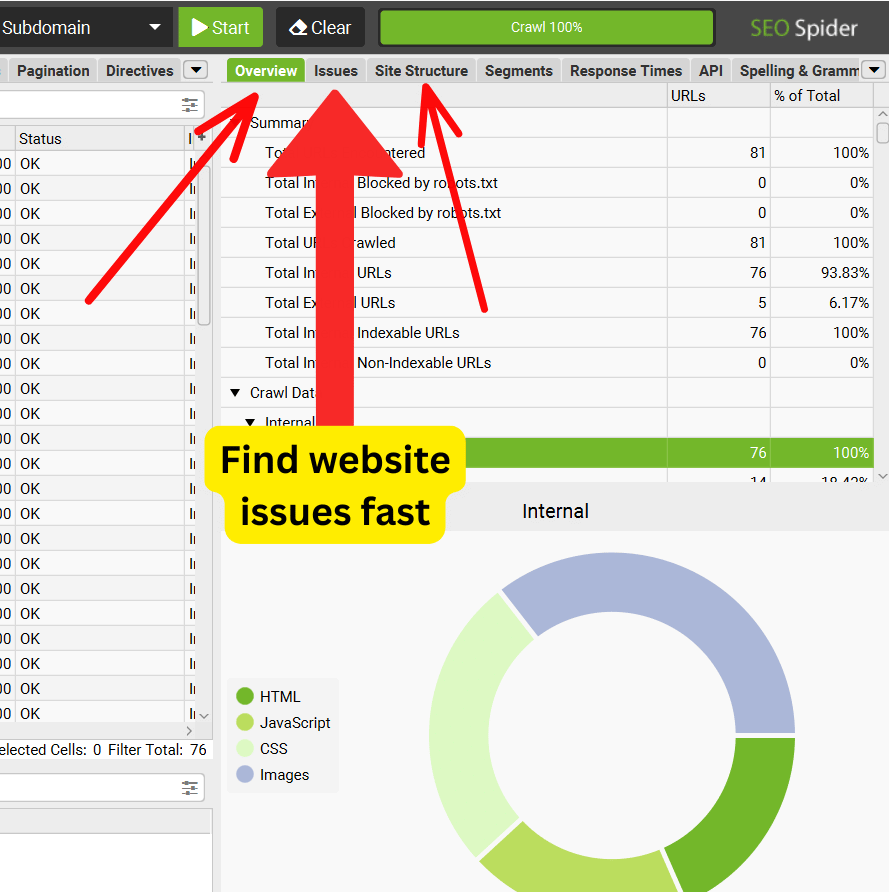
Besides having clear segments of your website categorized, if you head over to the right side of the dashboard, you will see a tab that says “Issues”.
This “issues” tab can save you loads of independent searches, and is a great place to see all your website’s issues in one place.
You can then click on each separate indicated issue and underneath with be an answer on how to fix, or correct the issue
Screaming Frog Free Version Limitations
While the free version of Screaming Frog is powerful, the free version does have limitations.
Free Version Limitations
- Maximum 500 URLs per crawl
- No crawl scheduling
- Limited data exports
- Some advanced features are locked (JavaScript rendering, custom extraction)
My Experience: For beginners and most bloggers, these limits are rarely an issue.
Best Use Cases For Screaming Frog SEO Spider
In my experience, Screaming Frog is ideal for auditing smaller to medium-sized websites, including those who…
- Run a blog or niche website and want a clearer understanding of how your pages are structured and crawled by search engines.
- Want to improve on-page SEO by identifying missing titles, weak headings, duplicate content, and optimization gaps.
- Are doing basic website audits and need a reliable way to uncover technical issues without paying for premium tools.
- Want a free alternative to expensive SEO tools that still delivers deep, actionable insights.
- Need fast technical SEO insights so you can spot problems quickly and fix them before they affect rankings or user experience.
It also pairs extremely well with Google Search Console, allowing you to combine crawl data with real search performance insights for a complete and accurate SEO picture.
Frequently Asked Questions About Screaming Frog
Q: Is Screaming Frog good for beginners?
A: Yes. While it looks technical, once you understand the tabs, it’s very beginner-friendly.
Q: Is Screaming Frog really free?
A: Yes.. the free version is permanent and not a trial.
Q: Do I need Screaming Frog if I use other SEO tools?
A: Absolutely. Screaming Frog shows technical issues that many tools miss.
Q: Can Screaming Frog help rankings?
A: Indirectly, yes. Fixing technical SEO issues helps search engines crawl and rank your site more efficiently.
Summary: Is Screaming Frog Worth Using?
If you’re not using Screaming Frog, you’re leaving SEO opportunities on the table.
The free version alone can:
- Reveal hidden SEO problems
- Improve site structure
- Boost user experience
- Support better rankings
For bloggers, affiliate marketers, and website owners, Screaming Frog SEO Spider is one of the best free SEO tools available.