If you’re trying to get your blog posts ranking on Google, then learning how to use AIOSEO plugin is one of the smartest moves you can make. When I first started blogging, I honestly thought writing content was enough… but it’s not.
You can write the best blog in the world, but if your SEO is off, Google simply won’t understand what your page is about.
That’s where the AIOSEO plugin comes in.
It helps you structure your content properly, optimize your posts, and guide you toward better rankings, even if you’re a beginner.
How To Use AIOSEO Plugin
1. Start With The Setup Wizard
One of the first things you should do after installing the AIOSEO plugin is go through the Setup Wizard. AIOSEO’s current setup guide says the wizard is designed to handle the SEO basics quickly, including site category, supporting site information, SEO feature setup, search appearance, site analysis, and Google Search Console connection.
This step matters because many blogs never rank well simply due to poor default settings. If your homepage title, schema, or search appearance settings are off, you are making SEO harder than it needs to be.
2. Set Up Your Homepage And Site Appearance Properly
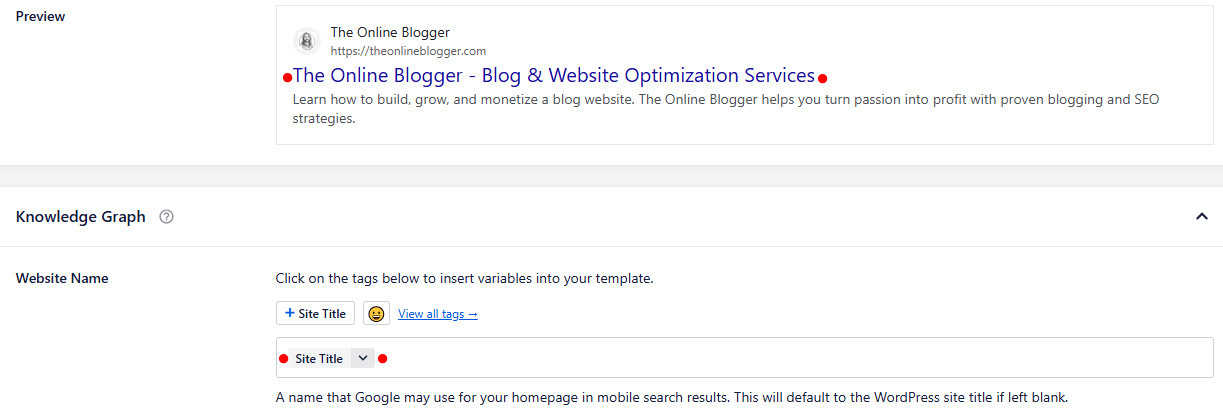
Your site title and meta description tell Google what your website is about. AIOSEO lets you control these settings without needing to edit code. That means you can make sure your branding, keywords, and descriptions are consistent from the start. The plugin’s setup and search appearance tools are specifically built for this purpose.
A clear site identity helps search engines understand your niche, and that supports your blog content overall.
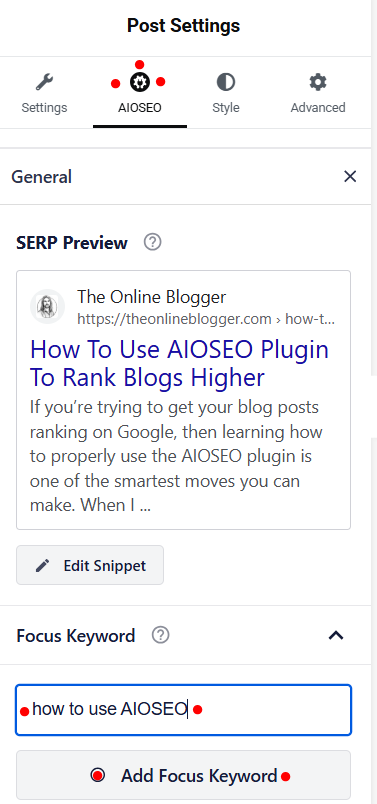
3: Use The “Focus Keyphrase” Feature On Every Blog Post
This is one of the most useful parts of the AIOSEO plugin. When writing a post, you can enter your target keyword and let the plugin analyze whether you have used it in the right places. AIOSEO says its TruSEO On-Page Analysis checks important areas and gives an actionable checklist based on your focus keyword.
For example, your focus word should usually appear in:
- The blog title
- The opening paragraph
- At least one subheading where natural
- The meta description
- The URL slug
- Image alt text where relevant
That does not mean stuffing keywords everywhere. It means placing them naturally in the most important areas so search engines and readers both understand the topic.
4. Write Better Meta Titles And Meta Descriptions
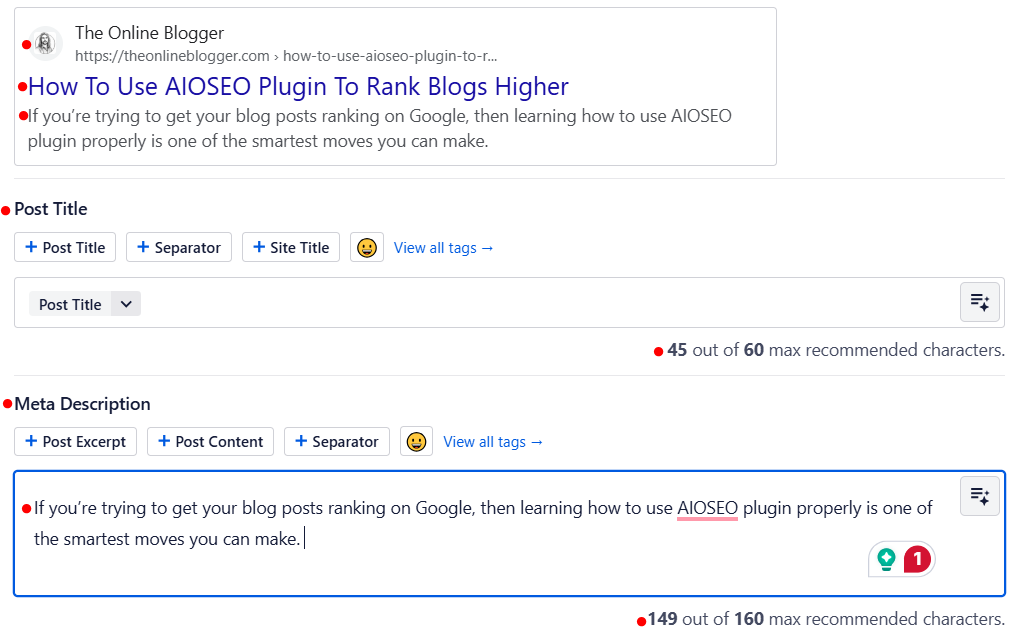
Your meta title is one of the first things people see in search results. If it is weak, boring, or unclear, fewer people will click.
With the AIOSEO plugin, you can edit your SEO title and description for every blog post. This helps you create search snippets that are clearer and more clickable.
Better click-through rates can support stronger performance over time, especially when paired with quality content and good search intent alignment. Search appearance customization is one of the plugin’s core current features.
5. Make Sure Schema Is Enabled
Schema markup helps search engines understand the type of page you are publishing. AIOSEO’s setup guides describe schema as one of the technical tasks the plugin can handle without coding.
For bloggers, this is helpful because it gives more context to your content. While schema alone will not push a weak post to page one, it can improve how your content is interpreted and displayed.
6. Keep Your XML Sitemap Active
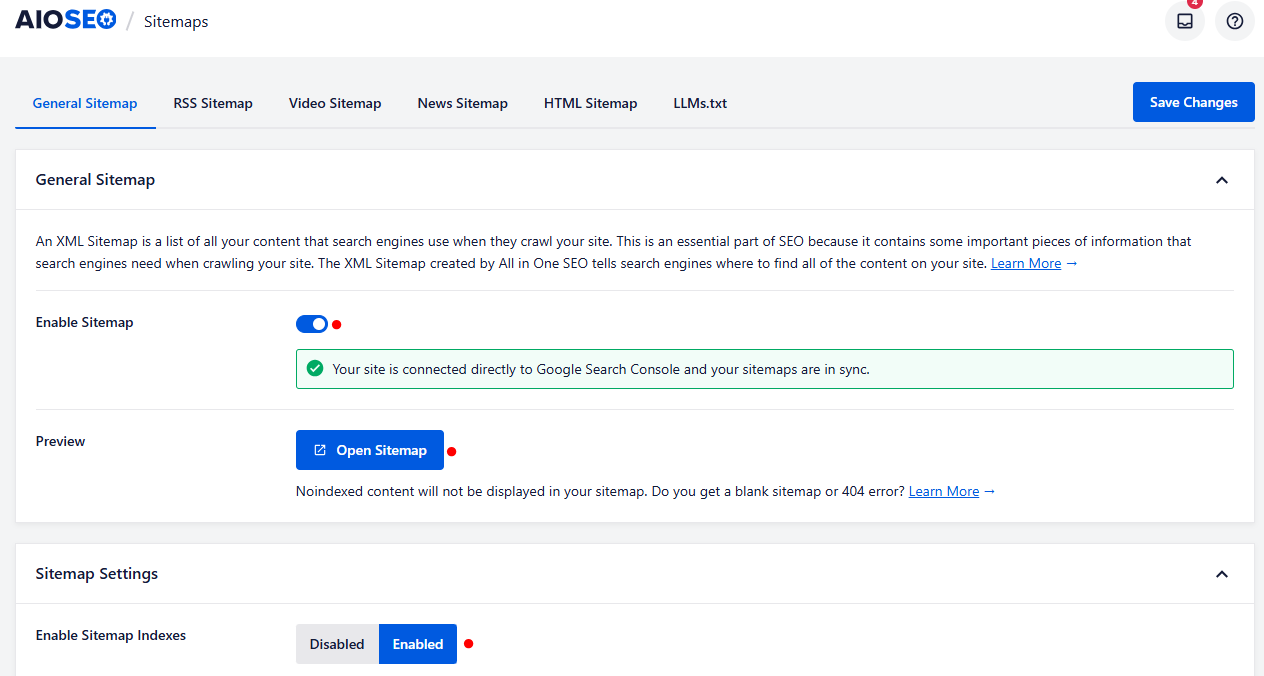
Sitemaps help search engines discover your content more efficiently. AIOSEO includes sitemap support as part of its SEO toolkit and setup process.
If you are publishing new blog posts regularly, having a properly configured sitemap matters. It gives Google a clearer path to your content and can help new pages get picked up faster.
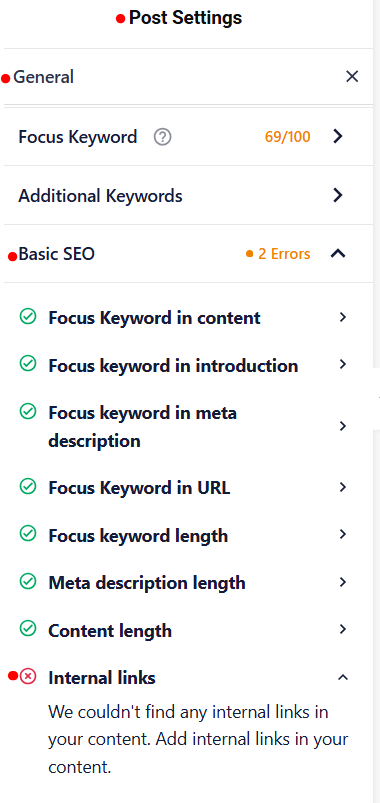
7. Use The SEO Checklist And Site Analysis Tools
AIOSEO’s newer setup and SEO materials highlight an interactive checklist and site analysis process that show incomplete tasks and priorities inside the dashboard.
This is useful because SEO is not just about one post. It is also about fixing broader website issues over time.
If you can improve your site structure, metadata, internal SEO basics, and page setup consistently, your blog and website has a stronger chance of ranking higher.
The checklist in the image shows this blog being written, and I yet to add in internal links.
Why The AIOSEO Plugin Helps Blog Rankings
When you publish a blog post, search engines need to understand what your page is about. They also need a clear structure, proper metadata, crawlable pages, and useful content that matches search intent.
Luckily, the AIOSEO plugin helps bloggers handle those technical and on-page elements more efficiently through automated settings, sitemaps, schema, canonical settings, and search appearance controls.
Why Bloggers Use the AIOSEO Plugin:
- It helps optimize titles and meta descriptions
- It creates and manages important sitemap settings
- It improves on-page SEO with content analysis
- It helps search engines better understand your content
- It can reduce simple technical SEO mistakes
- It gives you a checklist to improve each blog post
Pro Note: The AIOSEO plugin can support you in getting better rankings, but only when it is used as part of a solid content strategy.
Why I Use AIOSEO Plugin
As an experienced blogger, I know what it takes to write blogs that rank on Google page 1. I use AIOSEO plugin as a simple check before I publish my blogs.
In all honesty, after you use the checklist for 10 or 20 blog posts, you will be ticking the checklist tasks off automatically.
It also picks up on any faults or parts of the blog I have missed that Google prefers to be included.
Main reasons I use AIOSEO plugin
- Easy to install and free to use.
- Help with SEO and Rankings.
- Helps me identify certain areas in website pages or blogs that could be fixed or made better.
- Works automatically after installation and setup.
- Is perfect for a pre-publish quality and ranking ability check.
By no means am I saying that if you Use AIOSEO plugin, your blogs will rank; they still need to be well-written, high-quality, and most importantly, helpful content.
Common Mistakes Bloggers Make With The AIOSEO Plugin
A lot of users expect instant rankings after installing the plugin. That is not how SEO works.
Common Mistakes:
- Installing the plugin but skipping the setup wizard
- Not adding a focus keyword to posts
- Writing weak SEO titles
- Ignoring meta descriptions
- Publishing thin content
- Not matching blog content to search intent
- Thinking plugin scores matter more than helpful content
My Advice: Use the plugin to support your SEO, not replace the actual work of blogging.
Final Thoughts On The AIOSEO Plugin
If you want a simple but powerful way to improve your WordPress blog SEO, the AIOSEO plugin is well worth learning.
Its current feature set includes a setup wizard, search appearance controls, on-page analysis, schema support, sitemap tools, Search Console connection, and an SEO checklist that helps guide improvements over time.
👉 The real key is this: do not just install it and hope for the best.
Use it properly.
Set up your site correctly, optimize every post, target the right keywords, and keep publishing helpful content that solves real problems.
When you combine all of that with the AIOSEO plugin, you give your blog a much better chance of ranking higher in Google.