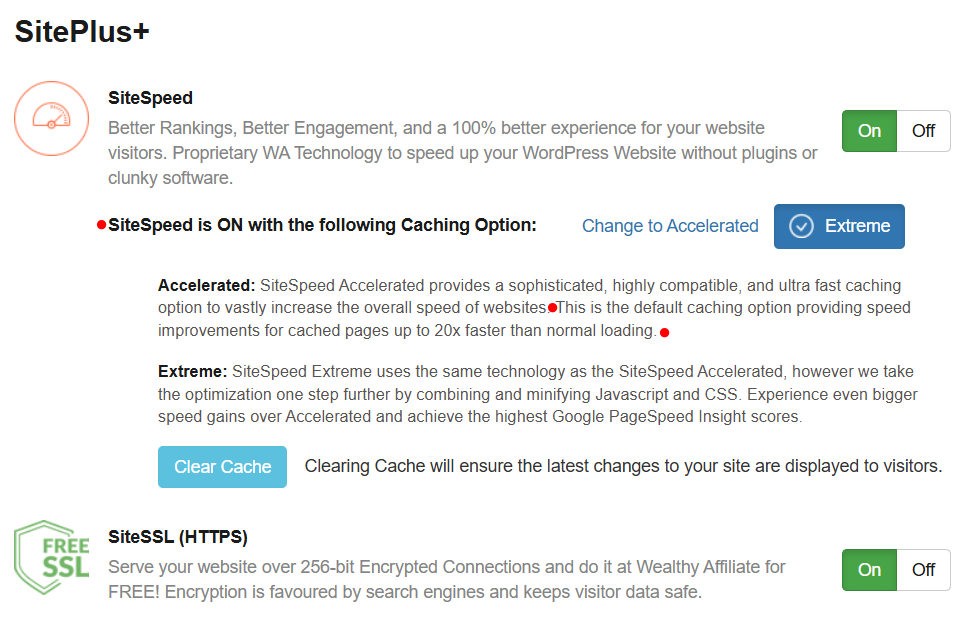
Your hosting provider plays a significant role in determining how quickly your site loads. Cheap or overcrowded servers can slow everything down, even if your site is well-optimized.
To speed up your WordPress website with hosting:
- Avoid bargain shared hosting plans
- Use a host optimized specifically for WordPress
- Look for SSD storage, server-side caching, and good uptime
 Hosting is your foundation. No amount of plugins can fix slow servers
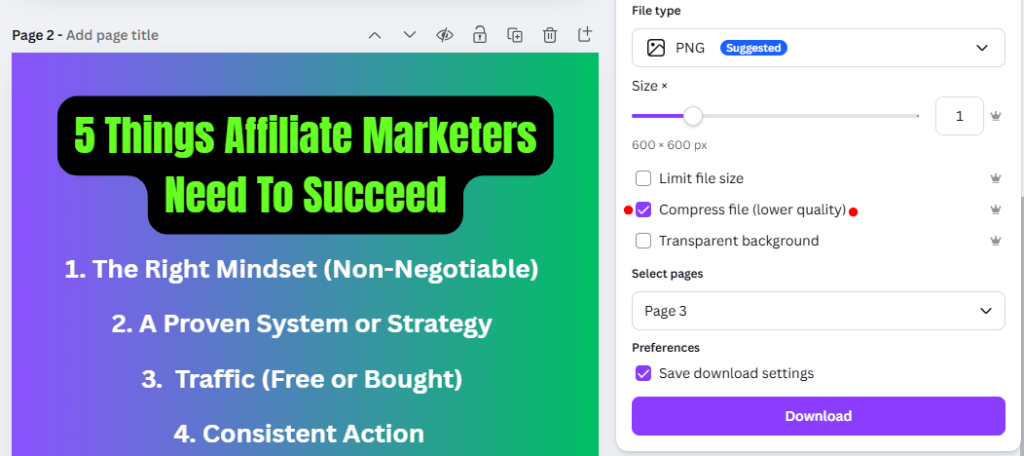
Large, uncompressed images are one of the biggest causes of slow websites.
Simple Image Optimization Tips:
- Resize images before uploading
- Compress images automatically
- Use modern formats like WebP
- Lazy-load images below the fold
Pro Tip: Image optimization alone can shave seconds off your load time.
Speed isn’t just a technical detail; it directly impacts how people experience, trust, and interact with your website.
If your site is slow, visitors won’t wait around… they’ll leave.
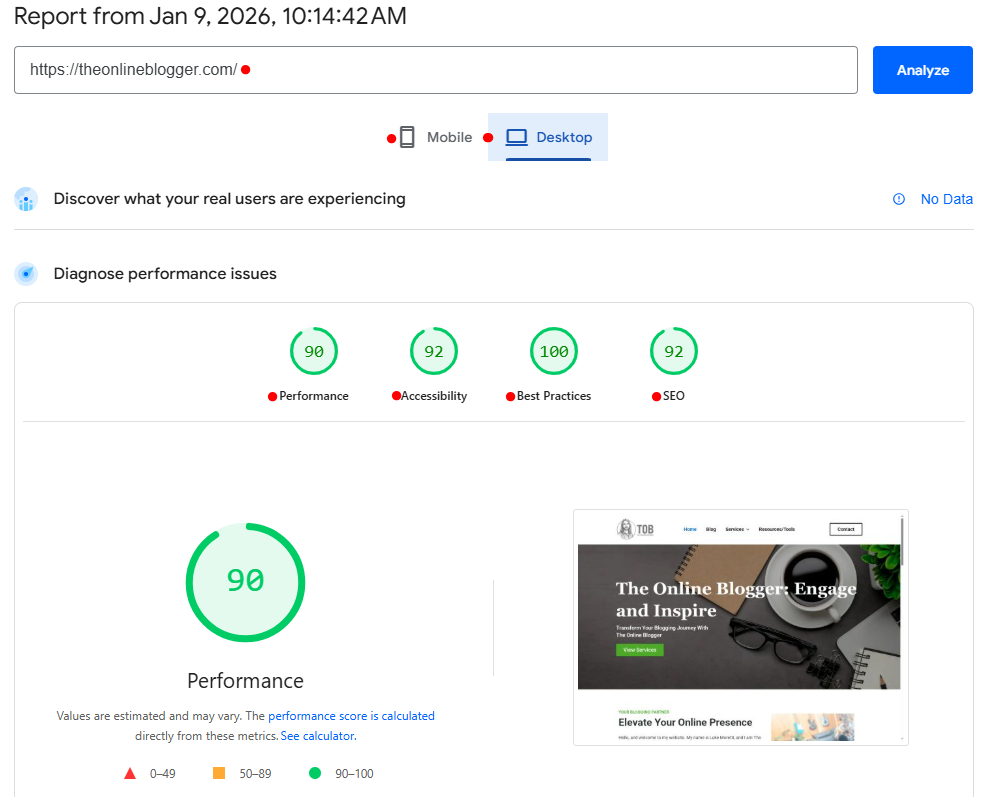
Pro Tip: Check your website speed with Google Page Speed Insights <<<
Why It’s Essential To Speed Up Your WordPress Website:
1. Faster Websites Keep Visitors Engaged: People expect websites to load almost instantly. If your pages take more than a few seconds, users lose patience and click away.
A faster site means:
- Lower bounce rates
- Longer time on page
- More pages viewed per visit
- Speed keeps people interested.
2. Website Speed Affects Google Rankings
Google uses page speed as a ranking factor, especially on mobile. Slow sites struggle to compete in search results, no matter how good the content is.
When you speed up your WordPress website:
- Google can crawl your site more efficiently
- Your Core Web Vitals scores improve
- Your chances of ranking higher increase
3. Speed Directly Impacts Conversions
Every second of delay can cost you leads, sales, and sign-ups.
A faster website:
- Builds trust instantly
- Feels more professional
- Encourages users to take action
Whether it’s an email signup or a purchase, speed removes friction.
4. Better Mobile Experience
Most traffic now comes from mobile devices… and mobile users are even less patient.
Optimizing speed ensures:
- Faster loading on slower mobile networks
- Better usability on small screens
- Reduced frustration for mobile visitors
5. Stronger Overall User Experience
Speed is the foundation of good UX. A fast website feels smooth, reliable, and modern… exactly how your brand should feel.
When you speed up your WordPress website, everything improves:
- Navigation
- Readability
- Interaction
The bottom line… If your website is slow, it’s silently working against you.
Speeding up your WordPress website means
 Happier visitors Better rankings Higher conversions
It’s one of the highest-impact improvements you can make — and it benefits every part of your online presence.